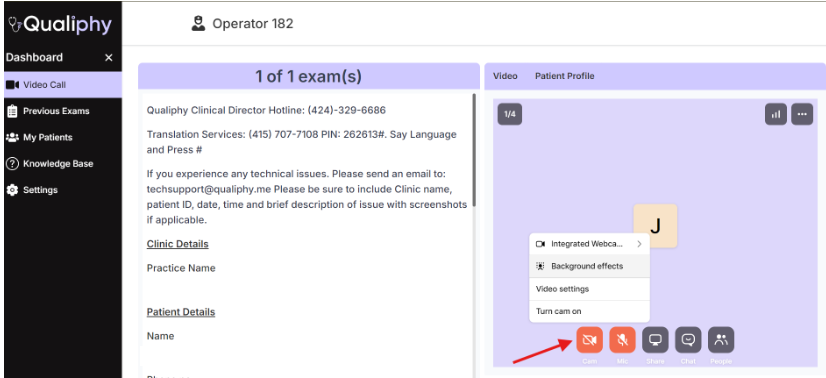
Once the call initiates, click the Camera button located at the bottom of the screen then click on Background Settings.
A virtual background will then be set in your camera preview. Choose a virtual background and click on Apply.

Once the call initiates, click the Camera button located at the bottom of the screen then click on Background Settings.
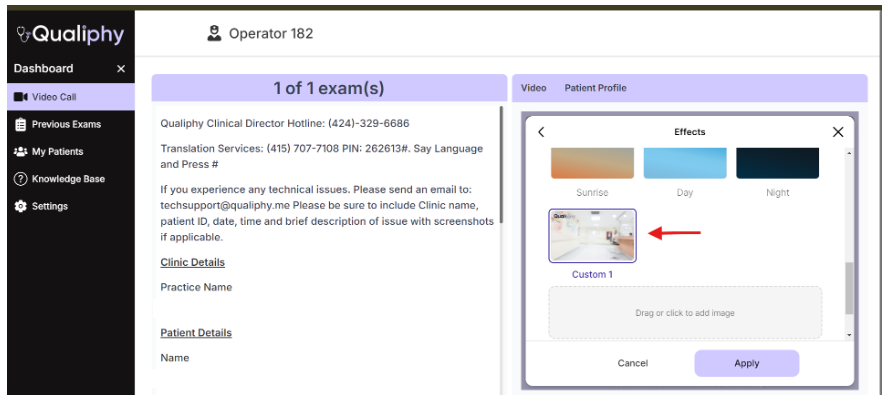
A virtual background will then be set in your camera preview. Choose a virtual background and click on Apply.